
Track, understand, love better · for iPhone and iPad
Track. Understand. Love better.
Memory rewrites things; a record doesn’t. FuaFlow Love Log helps you log your dates, understand your patterns and make better decisions to find love. No account: your data stays on your device, not on our servers.

14 days free for first-time subscribers · then a monthly subscription or a one-time purchase at your country’s price
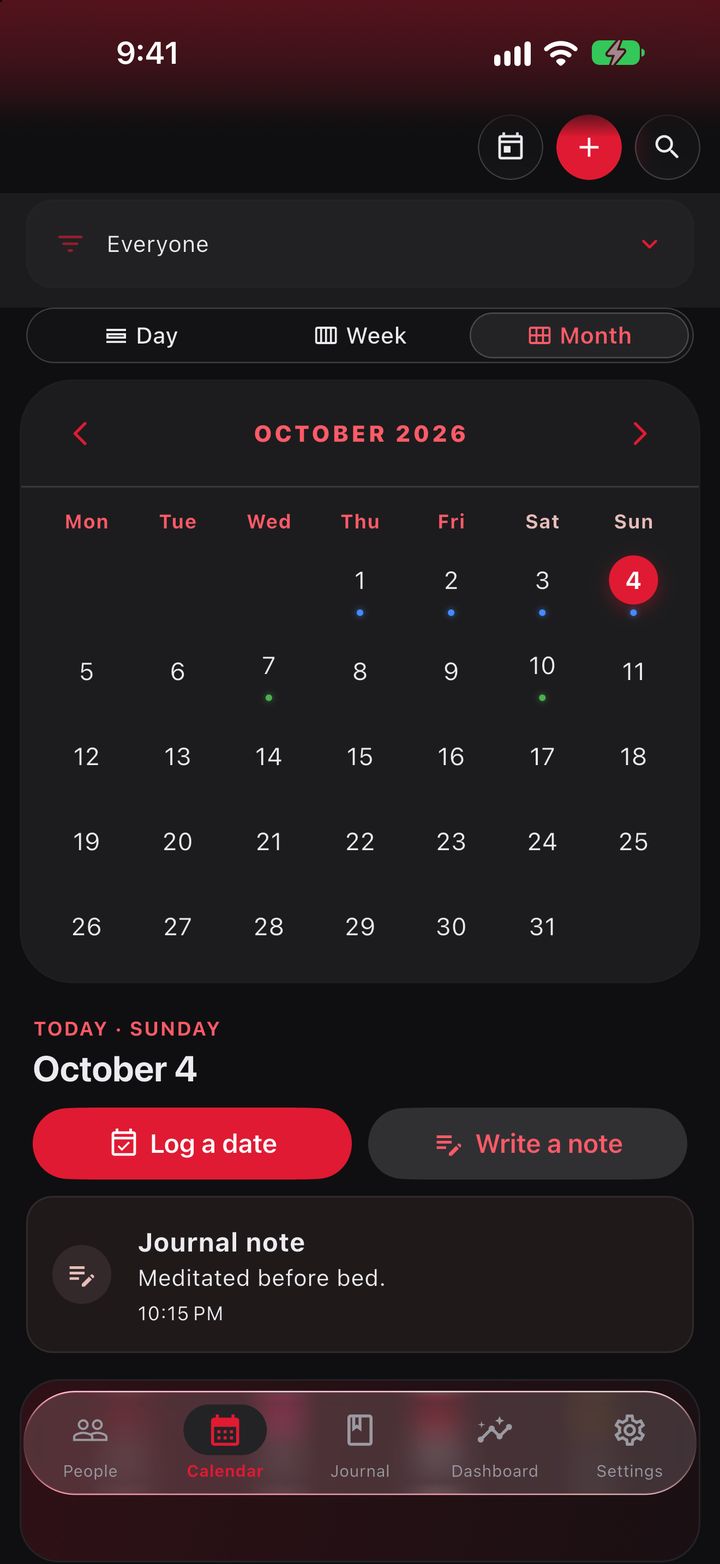
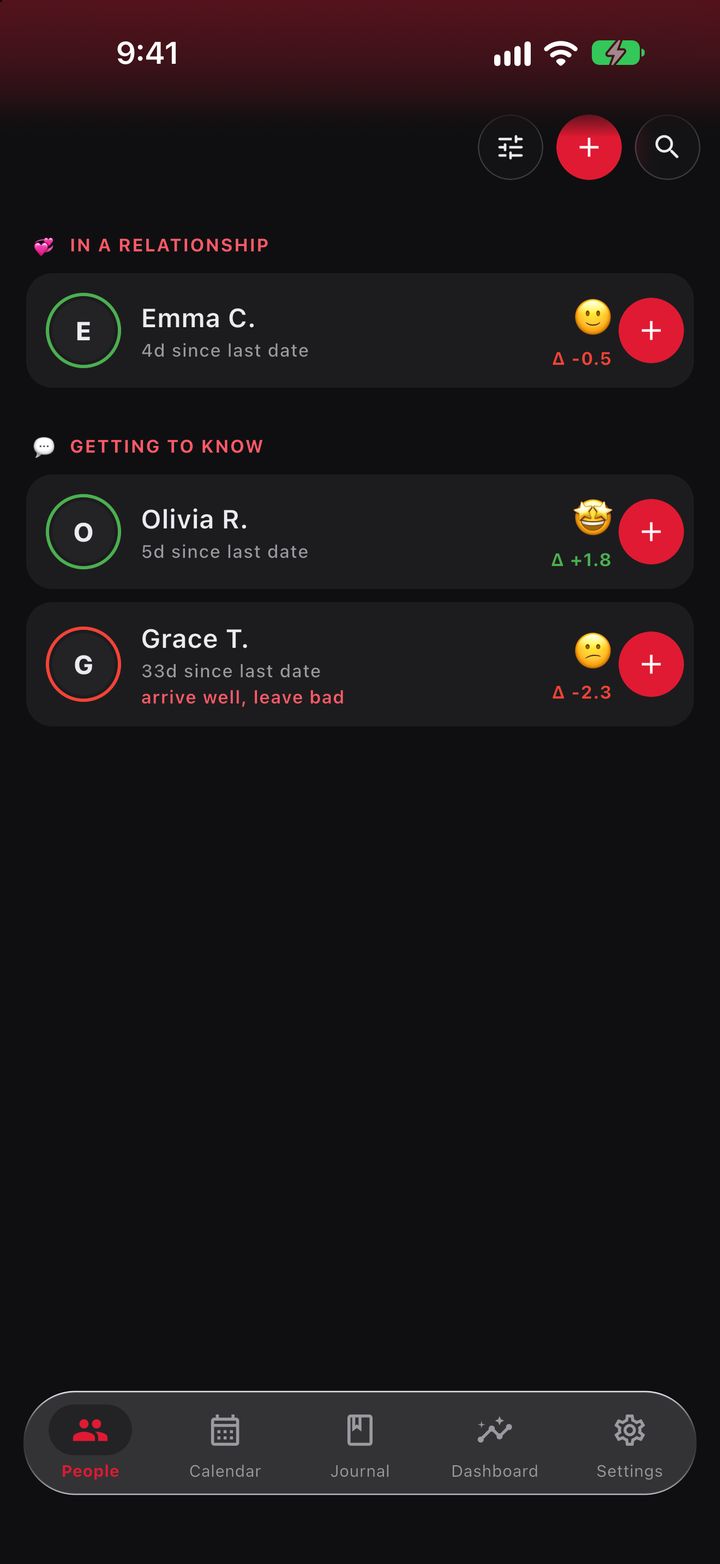
A date with FuaFlow Love Log
Two faces per date and a few seconds of your time. Here’s what a date looks like when you log it — and what you learn afterwards.
-
MON
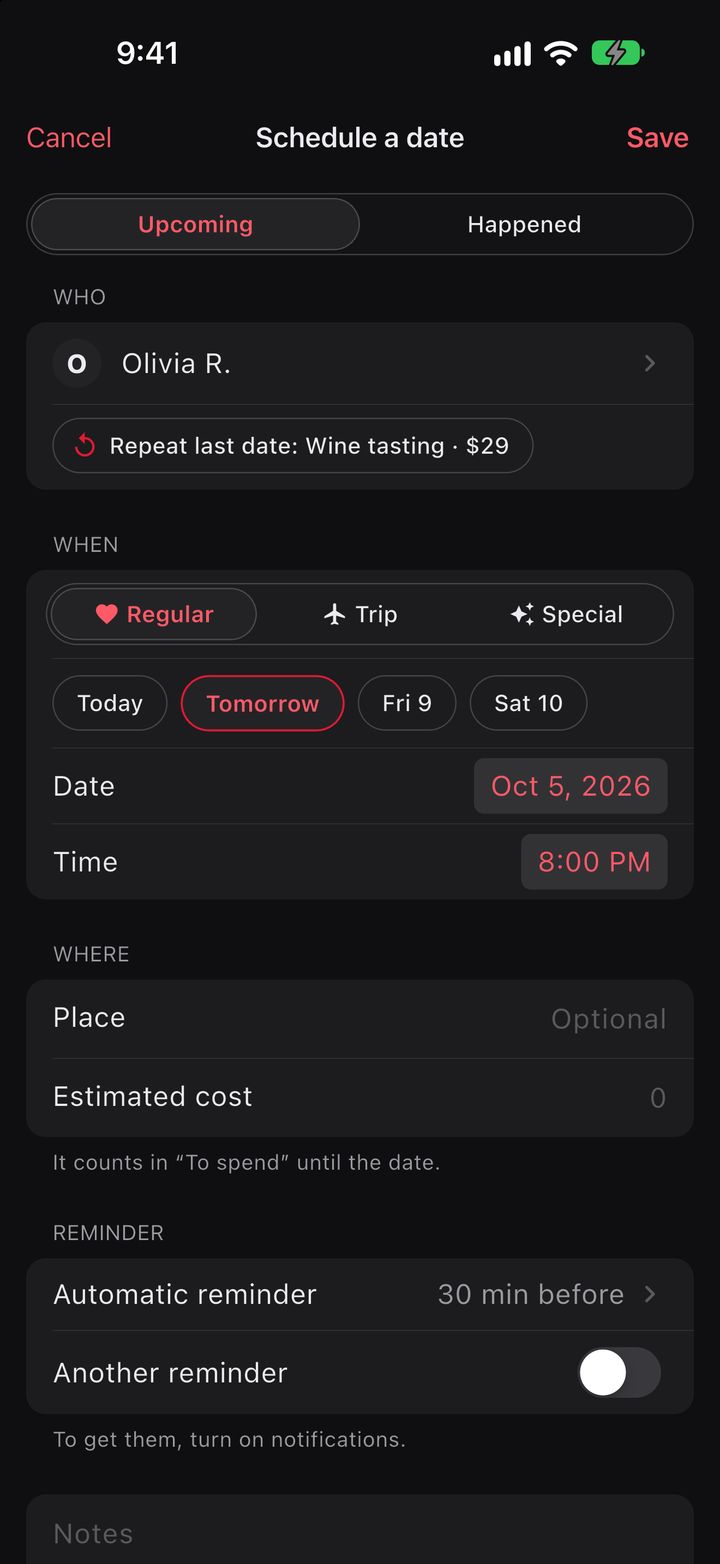
The date is on the books
Who, where and when. If it’s a few days out, it shows as “Planned” and, if you turn on notifications, FuaFlow Love Log reminds you 30 minutes before.
-
19:25
How did you arrive?
Before you walk in, one face: tired, nervous, fine or excited. It’s your starting point, and it matters more than you think.
-
21:30
How did you leave?
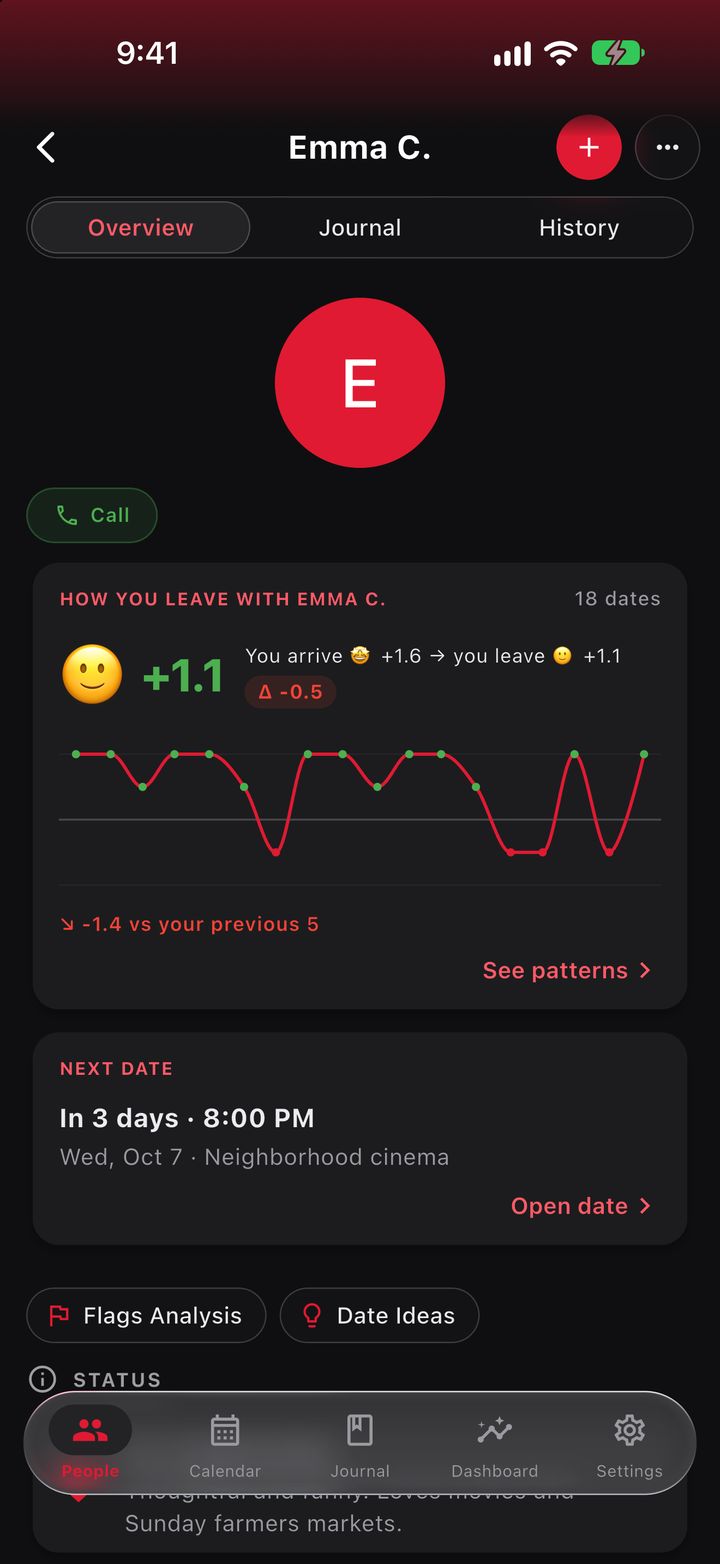
Two hours later, if you turned on notifications, the app asks how you left. One more tap. The difference between the two faces is your delta: what that person makes you feel, measured date after date.
-
21:32
What happened, if you want
A deep talk, something sweet you did or they did, red or green flags, the place, what it cost and whether you were intimate. All optional: the two faces are enough.
-
+3 WKS
The pattern shows up
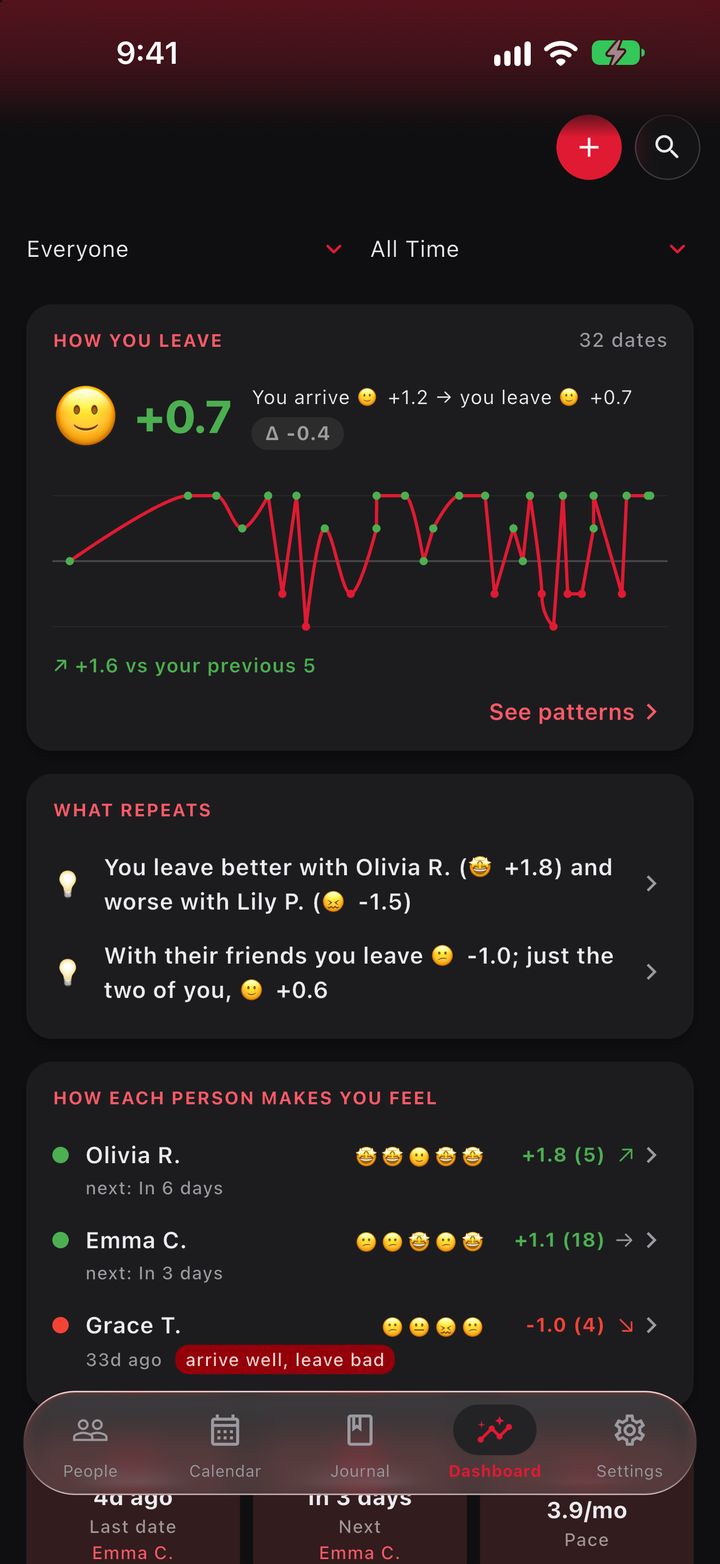
The Dashboard brings your dates together and tells you what repeats, with numbers, not hunches: “With Valeria: you arrived well and left bad in 6 of your last 8 dates”.
-
TODAY
You choose better
Who you’re better with, what’s good for you and who no longer gets your time. FuaFlow Love Log doesn’t decide for you: it shows you what was already happening, so you look for love with your eyes open.
What it measures
Everything comes from what you already log: no long forms. The app does the math.
Your delta
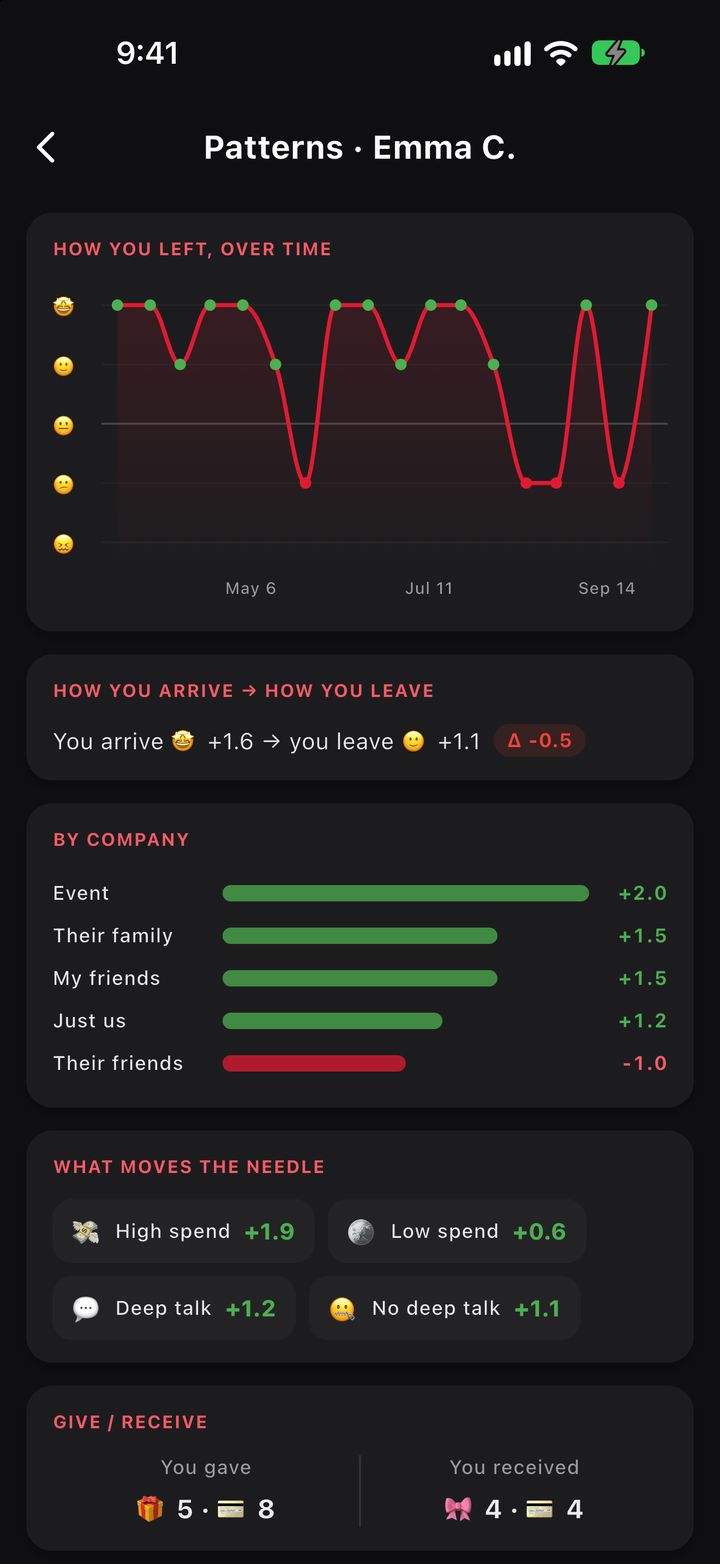
How you arrive versus how you leave, per date and per person. The metric that matters most.
What repeats
Patterns across dates and across people: “arrive well, leave bad”.
The rhythm
How often you see each other (dates per month), when you last did and when the next one is.
Who you were with
Just you two, their family or your friends: which setting is good for you.
What you invest
What you spend per date and per person, with a monthly budget.
Stars and flags
Each date’s rating and the red and green flags you saw.
Milestones
First date, first trip and how many months you’ve been going.
Cycle (optional)
The cycle phase on the calendar, to confirm or rule out a correlation.
Bananometer 🍌
Yes, that too: length and girth in 5 steps. Private, just for you.
Your love life never touches our servers.
FuaFlow Love Log has no accounts, no servers with your data, no trackers and no ads. The only thing the app sends over the internet on its own is your subscription check, with the store and our provider RevenueCat (never your journal, your people or your dates). Your data only leaves the device when you export or share a copy, when you open an address in Google Maps or Waze, or in your own iCloud backups if you have them turned on.
- Your people, dates, notes and photos live inside the app, on your device.
- Lock it with Face ID or your device’s passcode; your own system does the check.
- Discreet notifications: no names or places, unless you want them.
- Export a copy whenever you want, or delete everything from Settings → Your Data.
Price
14 days free for first-time subscribers, then a monthly subscription — or a single payment, forever — at your country’s price. If you stop paying, your data doesn’t go anywhere: it stays read-only, so you can view, export or delete it.
On Android? Help us test it
FuaFlow Love Log comes to Google Play after the App Store. First, Google asks for a group of Android users to test it for 14 days in a row. Signing up is free and takes a minute.
-
STEP 1
Join the testers group
Sign in with your Google account and join. It’s the testers group for FuaFlow’s apps; only the admins can see who’s in it. Open the group →
-
STEP 2
Accept the test
With the same account, open the invitation and accept it. If it says it isn’t available yet, the test hasn’t opened: we’ll email you through the group. Accept the test →
-
STEP 3
Install it from Google Play
Use it like any app and stay in the test for at least 14 days: Google counts the days in a row with at least 12 people signed up. Open in Google Play →
For now the test is only open in Mexico. Something wrong? Write to hola@fuaflow.com.